
I have audited countless home contractors throughout my career. By far, the most avoidable marketing gap is the photo quality. You do great work, but your job site looks like a disaster area.
While you may see hours of labor and craft, believe me when I say: the ladder in the background takes away.
The bad lighting distracts. The debris, the makeshift toolbench, the dirty truck—they all steal focus from the true subject of your image: your final product.
The Problem
When it comes to local service companies, pictures lose priority because they are hard to get. It’s difficult to coordinate, it’s expensive, and you aren’t a photographer.
The result: You don't post. Or worse, you post garbage that doesn't do your work justice.
The Fix
With Google Gemini, you don’t have to be a photographer. You don’t need a great eye. You just need to point and shoot.
I recently used this workflow to clean up a garage door company’s Google Business Profile. We removed debris, painted the walls, and even added modern cabinetry. Optimizing the profile turned into an upsell opportunity.
Getting Started In 3 Steps
Login to gemini.google.com and give it a shot:
1Click the + symbol to the left of the chat.
2Upload the photo you want to improve.
3Write what you want to see. (See below).
Real World Example
Here is a prompt that worked on the first try:
The Result (Click to Reveal)
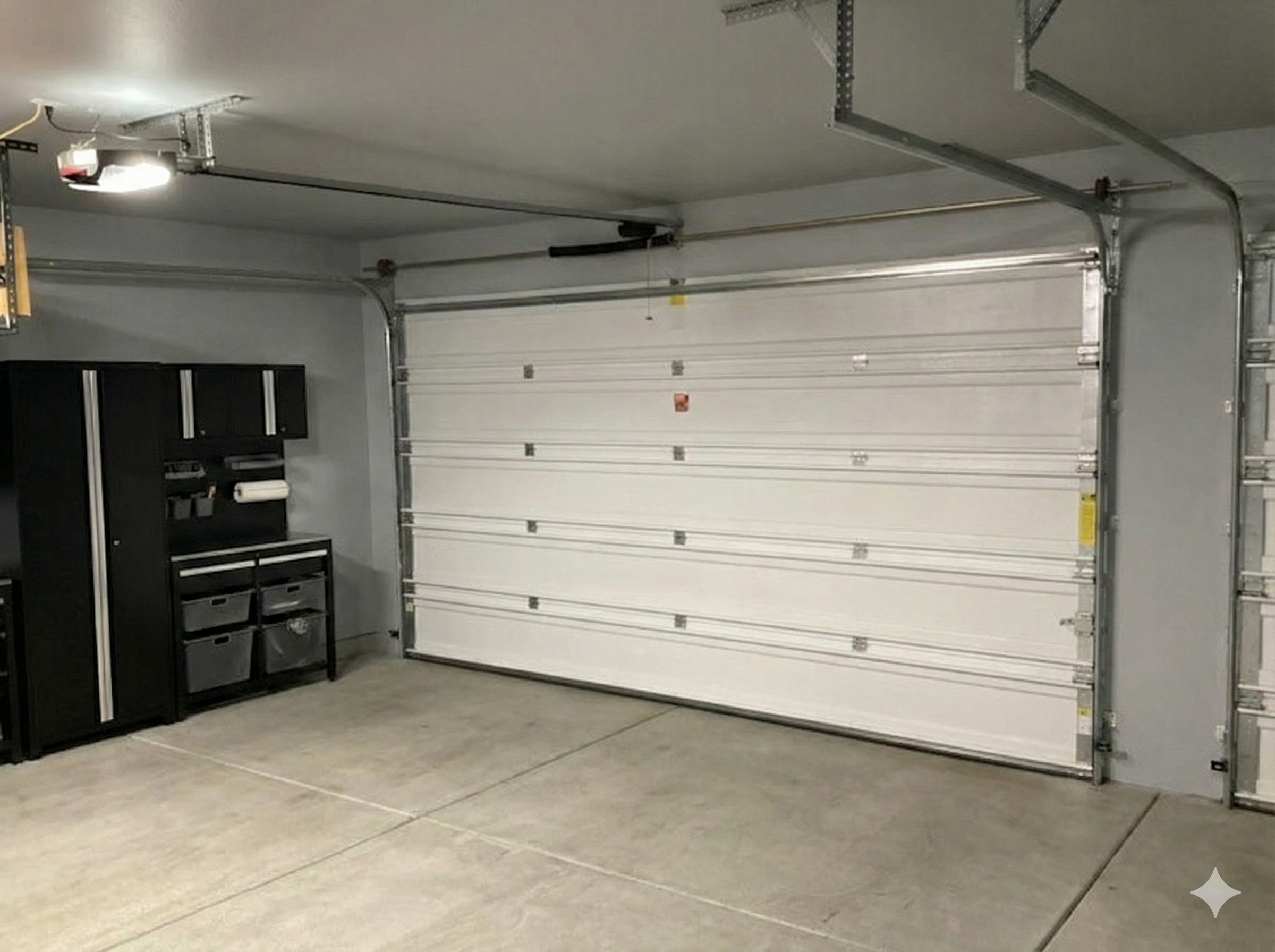
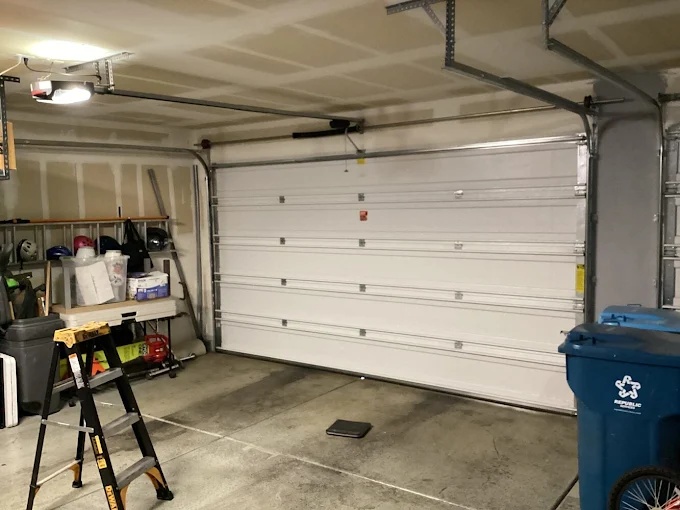
The "Vague Prompt" Trap
If you aren't specific, AI will misunderstand you. For example, I uploaded the original photo and simply typed:
The Result:
Technically, this is "slightly" open, but it missed the "clean up" part of the request entirely.
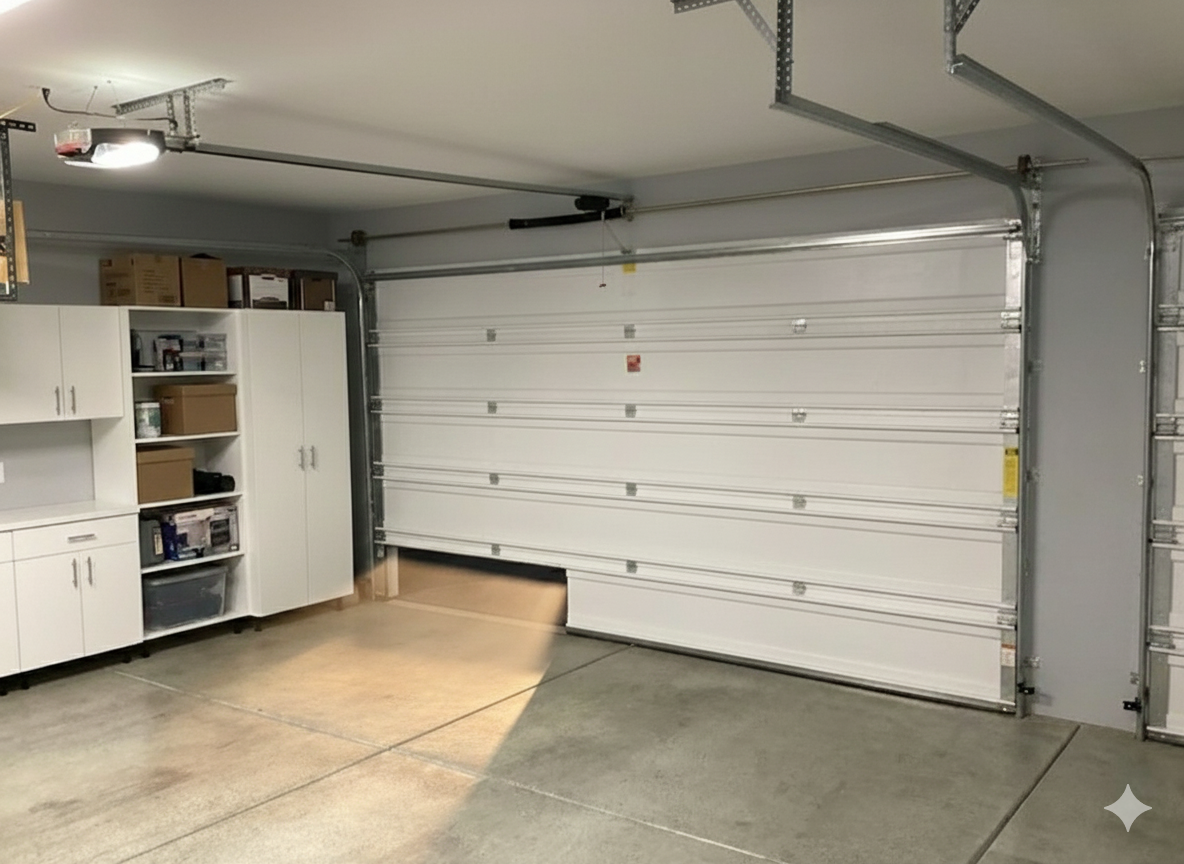
Lesson: Be specific about what you want to keep (structure, lighting) and exactly what you want to remove (trash, stains).
Note: If you make too many edits to one image, Gemini can get "stuck." Sometimes it's better to start a fresh chat.